Introduction
Nonlinear regression is one of the most powerful statistical techniques used across biostatistics, pharmacology, medical sciences, enzyme kinetics, growth modeling, and biomarker-based diagnostics. Unlike linear regression, which models a straight-line relationship between variables, nonlinear regression allows researchers to fit curved biological relationships—such as saturation kinetics, exponential changes, dose–response curves, and sigmoidal effects.
MedCalc Statistical Software provides a robust and user-friendly interface for performing nonlinear regression. One of the most important steps in setting up the analysis is defining the correct regression equation. The accuracy of your results, the interpretability of parameter estimates, and the biological relevance of your model all depend on the equation you choose.
This article provides a complete guide—over 1500 words—detailing how to enter and work with custom regression equations in MedCalc. It explains how parameters are handled, how the software extracts initial values, and how to correctly run, interpret, and validate nonlinear regression models.
Whether you are analyzing dose–response data, enzyme kinetics, growth curves, or medical biomarkers, this tutorial gives you a complete scientific understanding.
1. Understanding the Regression Equation Field in MedCalc
When you open Statistics → Regression → Nonlinear Regression in MedCalc, the top of the dialog box displays:
y = ____
This field is the heart of the analysis.
You must type the exact mathematical model you want MedCalc to fit.
Examples:
- y = a * exp(b * x)
- y = (Vmax * x) / (Km + x)
- y = a / (1 + exp(-(x – x0)/b))
MedCalc reads the equation symbolically, identifies unknown parameters, and uses iterative algorithms (such as Levenberg–Marquardt) to estimate them.
2. How MedCalc Interprets Your Equation
When you type an equation such as:
y=(Vmax⋅x)/(Km+x)
MedCalc automatically:
- Detects unknown parameters (here Vmax and Km)
- Assigns default starting values
- Uses numerical optimization to minimize residual sum of squares
- Iterates until convergence is achieved
The software requires that:
- All parameters appear in the equation
- No undefined symbols are used
- The equation is mathematically valid
3. How MedCalc Identifies Parameters (fx Button Explained)
After typing your model, you click:
fx (Extract Parameters)
MedCalc scans the equation and identifies parameter names.
Example:
Equation typed:
(Vmax * x) / (Km + x)
MedCalc extracts:
- Vmax
- Km
These appear in the parameter list where you can:
- Set starting values
- Set constraints (lower/upper bounds)
- Rename parameters
- Fix parameters at a constant value
This fx button is essential because nonlinear regression requires starting values—without good starting values, the model may not converge.
4. Common Regression Models Used in MedCalc (Scientific Explanation)
Below are the most widely used nonlinear regression equations in biological and medical research.
A. Exponential Growth / Decay
Equation
y = a ⋅ ebx
Biological Meaning
- When b > 0 → exponential growth
- When b < 0 → exponential decay
Used in:
- Viral load modeling
- Population growth
- Radiation decay
- Tumor growth kinetics
Parameters
- a: initial value
- b: growth/decay rate
B. Michaelis–Menten (Enzyme Kinetics / Dose–Response)
Equation
y = Vmax ⋅ x / Km + x
Interpretation
- Vmax = maximum achievable response
- Km = concentration at half-maximum response
Used in:
- Pharmacology
- Toxicology (EC50 estimation)
- Enzyme kinetics
Scientific Reasoning
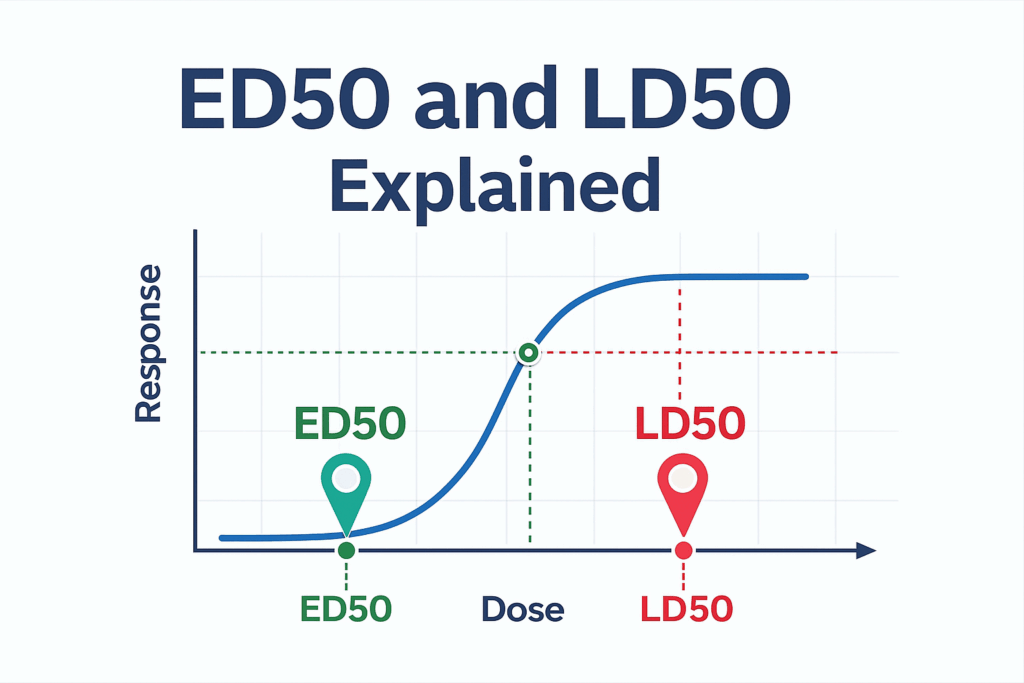
This model describes saturable processes, where the response increases quickly at low doses but reaches a plateau at high doses.
C. Logistic Growth (Sigmoid / S-curve)
Equation
y = a / 1+exp (−(x − x0) /b)
Parameters
- a: upper asymptote
- x₀: midpoint
- b: slope or steepness
Used for:
- Dose–response (probit/logistic)
- Cell population growth
- Medical risk modeling
D. Quadratic Nonlinear Variant
Equation
y= a + bx + cx2
This is a simple polynomial model often used for:
- Curvilinear biomarker responses
- Basic biological relationships
5. How MedCalc Performs the Calculations
Once the equation is entered and parameters identified, MedCalc calculates:
Step 1 — Predicted Values
For each X value, MedCalc computes predicted Y using your equation.
Step 2 — Residuals
Residual i = Y observed − Y predicted
Step 3 — Sum of Squares
MedCalc minimizes:
SSerror = ∑ (Residuali)2
Step 4 — Iterative Optimization
MedCalc uses the Levenberg–Marquardt method:
- Combines gradient descent + Gauss–Newton
- Adjusts parameter estimates
- Stops at convergence
Step 5 — Confidence Intervals
MedCalc computes 95% CI using:
Estimate ± t ⋅ SE
Step 6 — Goodness of Fit
It reports:
- R²
- Standard error
- ANOVA table
- Residual plot
- Fitted curve
6. Example Table: How to Write Regression Results in WordPress
Below is a clean article-ready table format:
Table. Common Nonlinear Regression Models in MedCalc
| Model | Equation | Parameters | Used In |
|---|---|---|---|
| Exponential | y = a * exp(b*x) | a = initial value, b = rate | Growth/decay, tumors |
| Michaelis–Menten | y = (Vmax*x)/(Km + x) | Vmax, Km | Dose-response, pharmacology |
| Logistic | a / (1 + exp(-(x-x0)/b)) | a, x0, b | S-curves, toxicity |
| Quadratic | a + bx + cx² | a, b, c | Curved trends |
7. How to Enter a Model in MedCalc (Step-by-Step Guide)
Step 1 — Open Nonlinear Regression
Menu →
Statistics → Regression → Nonlinear Regression
Step 2 — Type the Equation
In the box:
y = (Vmax * x) / (Km + x)
Step 3 — Click the fx Button
MedCalc identifies:
- Vmax
- Km
Step 4 — Enter Starting Values
For biological models:
- Vmax = maximum of dataset
- Km = between low and mid dose
Step 5 — Choose Constraints (Optional)
Example:
- Vmax > 0
- Km > 0
Step 6 — Run Regression
Click OK.
Step 7 — View Output
MedCalc shows:
- Parameter estimates
- Standard errors
- Confidence intervals
- Goodness-of-fit
- ANOVA
- Residual plot
- Fitted curve
8. Interpreting Fitted Parameters (Scientific Format)
a. Vmax
Indicates the maximum biological effect possible.
b. Km
Dose at half maximum response; indicator of affinity.
c. Growth rate parameters (e.g., b in exponential models)
Describe speed of increase/decrease.
d. Logistic parameters
Represent the mid-point and steepness of dose–response.
Conclusion
Nonlinear regression in MedCalc is a powerful and flexible tool—especially when you understand how to set up the regression equation. By correctly defining your model, selecting parameters, supplying good starting values, and interpreting parameter estimates, you gain deep insight into biological systems.
This guide explained:
- How to type regression equations
- How MedCalc extracts and uses parameters
- Mathematical meaning of models
- Best-practice scientific interpretation
- Workflow for accurate nonlinear regression
Whether your study involves enzyme kinetics, pharmacodynamics, biomarker analysis, or environmental toxicology, MedCalc’s nonlinear regression tools provide accurate, reliable, and publication-ready results.